Recommended Off-the-Shelf Devices
If you are new to MeshCore and want to get connected to the Bay Area MeshCore network as quickly, easily, and as economically as possible, this page covers what you’ll need in terms of equipment.
There are two types of devices to think about: companion devices that you carry with you, and repeater devices which are more permanent devices installed typically somewhere high up to connect to the broader mesh network. The simplest first step is to start with a companion device and see what kind of coverage you get in your location. From there you can explore whether setting up a repeater at your home or somewhere in your community may be worthwhile to grow and expand the network coverage.
Meshtastic pre-flashed: Most of these devices listed below are primarily marketed for use with Meshtastic — a similar but separate mesh networking project — and many ship pre-flashed with Meshtastic firmware. That’s fine. All of the devices listed here are fully compatible with MeshCore, and you’ll just need to flash the MeshCore firmware once you receive your device before connecting to the network.
Frequency band: Devices for use with MeshCore are manufactured for different regional frequency bands. The Bay Area network operates on 915 MHz, which is the US frequency. When purchasing a device, make sure you select the US version — sometimes labeled as 915 MHz or 900 MHz. Devices sold for other regions (like the EU version at 868 MHz) are not compatible with the Bay Area network and cannot be reconfigured after purchase.
Companions
A companion is your personal radio. It pairs with the MeshCore app on your phone over Bluetooth, and your phone becomes your screen and keyboard for sending and receiving messages over the mesh network.
Once you’ve acquired a companion device, check out our Companion Setup guide.
Seeed Wio Tracker L1 Pro
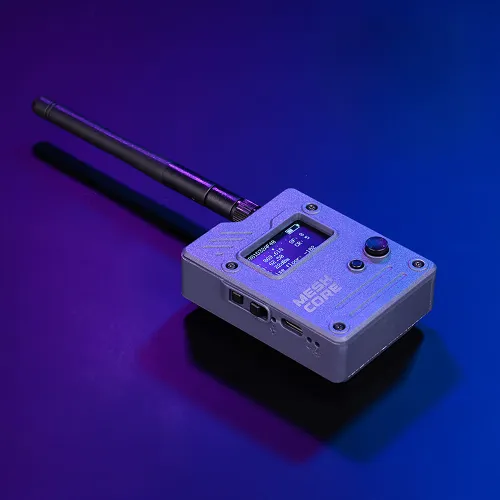 The Wio Tracker L1 Pro is one of the best value options available right now. It comes fully assembled in a compact case with a built-in screen, GPS, battery, and an external antenna — everything you need to get started.
Highlights
- Good battery life (~5 days on a charge in typical use)
- External antenna connector means you can upgrade the antenna later with minimal effort
Things to keep in mind
- The case is 3D-printed plastic and not waterproof
- Stock antenna is modest; an upgrade makes a noticeable difference
Where to buy
- Seeed Studio (MeshCore firmware pre-flashed)
- Seeed Studio (Meshtastic firmware pre-flashed)
- Amazon
Price: ~$45
Meshnology N39/Heltec v4
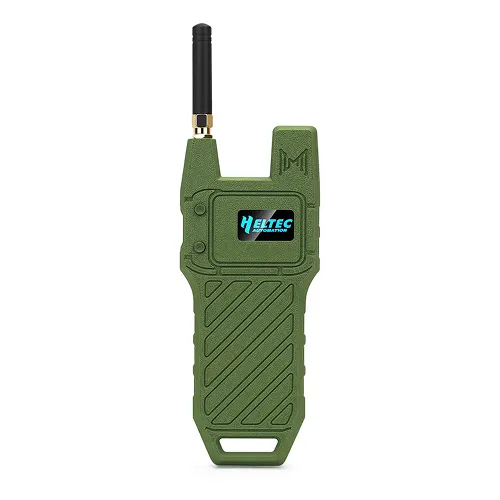 The Meshnology N39 is a complete kit with case, antenna, battery, and GPS module. At its core is the Heltec v4 — an ESP32 based board with a built-in OLED display and a reputation for strong transmit power, which can make a meaningful difference when trying to reach a repeater from a challenging location.
Highlights
- Strong transmit power for a companion device
- External antenna connector for easy upgrades later
Things to keep in mind
- ESP32 based devices tend to draw more power than dedicated low-power radios, so battery life is shorter than some alternatives
- The case is 3D-printed plastic and not waterproof
Where to buy
Price: ~$45-55
LilyGo T-Echo
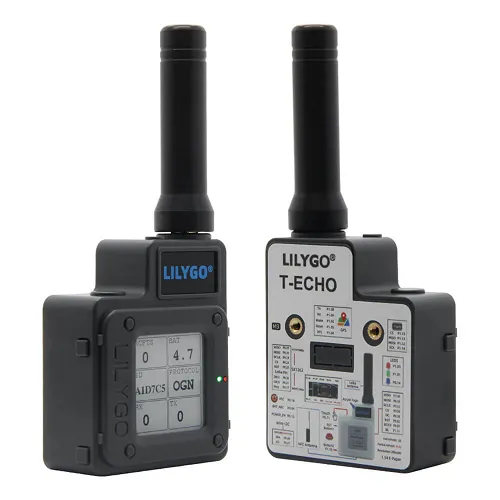 The T-Echo is one of the most established and widely used compact companion devices in the mesh community. It’s been around long enough that there’s a lot of community knowledge and support behind it.
Highlights
- e-ink screen
- Great battery life, despite its small battery
Things to keep in mind
- Stock antenna is a known weak point; an upgrade makes a noticeable difference
- Small battery (~850 mAh), though it lasts surprisingly long
- The buttons on the standard version are a bit fragile and can be accidentally pressed
Where to buy
Price: ~$45–65 depending on variant
Seeed SenseCAP T1000-E
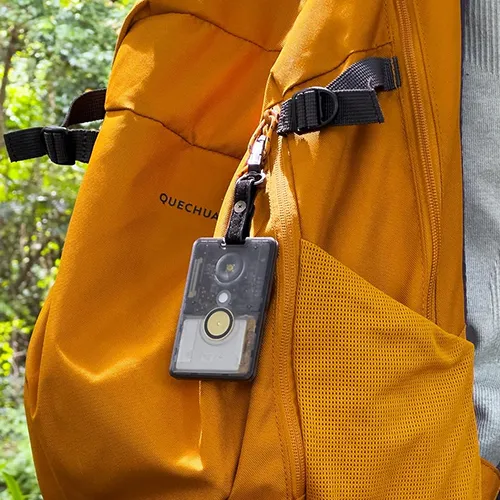 Credit card sized companion which easily slips into any pocket or clipped to a bag or lanyard. A convenient every day carry companion to always stay connected to the mesh.
Not the best first device. Given that the internal antenna is small and sealed inside the case, its transmit range is more limited than a device with a proper external antenna. It receives messages reliably, but sending messages requires being reasonably close to a repeater. Start with one of the other recommended devices to get a feel for the mesh before buying a T1000-E.
Highlights
- Extremely portable
- IP65 rated and fully sealed, handles rain and dust
Things to keep in mind
- Internal antenna only — not upgradeable
- Charges via a proprietary magnetic cable (included with purchase)
- No display — you’re relying on your phone for all interaction
- Small battery (~700 mAh), so plan to charge every couple of days
Where to buy
Price: ~$40
Repeaters
A repeater device is a fixed radio you install somewhere with good line-of-sight — a rooftop, a hilltop, a tall pole in your yard. It doesn’t connect to a phone or require any ongoing attention. Repeaters are the backbone of the mesh network as they listens for messages and relay them further across the network. The higher up a repeater is positioned, the more useful it is. Both options below are solar-powered, which means once they’re mounted, you essentially don’t need to touch them again.
Once you’ve acquired a repeater device, check out our Repeater Setup guide.
Seeed SenseCAP Solar Node P1-Pro
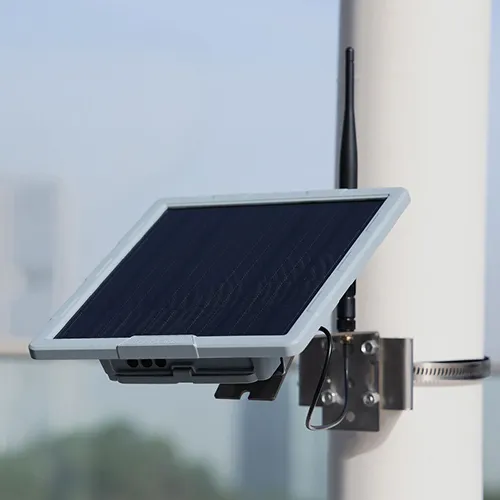 Designed to be mounted on a wall or pole and left alone. It comes with a 5-watt solar panel, a substantial battery bank, GPS, mounting hardware, and an antenna — everything included, ready to flash and mount.
Highlights
- Large 5W solar panel — handles cloudy days better than smaller panels
- Substantial battery bank (four 3,350 mAh cells), reportedly lasting up to two weeks without sunlight
- Includes a sensor expansion port if you ever want to add environmental monitoring
Things to keep in mind
- The stock antenna is a 2 dBi dipole — functional, but upgrading to a better antenna is worth doing for a fixed rooftop install
- The housing is weather-resistant but not formally IP-rated
Where to buy
Price: ~$90
RAK WisMesh Repeater Mini
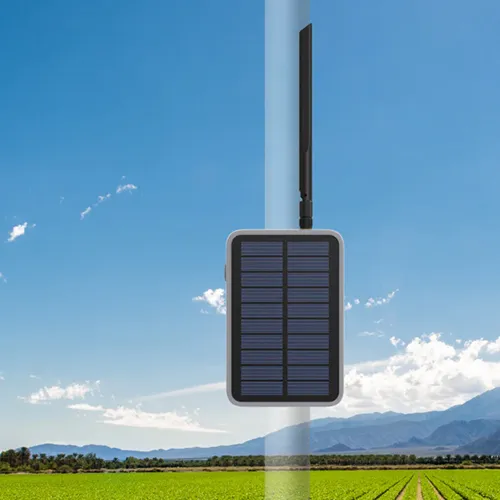 The WisMesh Repeater Mini is RAK’s compact solar repeater, and it’s the most weatherproof option on this list. The enclosure, the antenna connector, and the cable glands are all rated IP67 — meaning it’s fully waterproof and dustproof. If you’re putting something on a rooftop in a place that actually gets weather, this matters.
It’s built around RAK’s well-regarded LoRa module, which has a strong reputation for reliability. Setup is entirely through the MeshCore app over Bluetooth — there’s nothing to connect to a computer unless you want to update firmware.
Highlights
- IP67 rated throughout — the most rugged enclosure of anything on this list
- Compact and tidy, with swappable mounting brackets for wall or pole (not included with purchase)
Things to keep in mind
- Uses an RP-SMA antenna connector rather than standard SMA — will need to be considered if making antenna upgrade later
- The integrated solar panel is smaller than the SenseCAP’s 5W panel — less buffer on cloudy days
- Battery capacity is 3,200 mAh, smaller than the P1-Pro’s bank — the tradeoff for the compact size
Where to buy
Price: ~$99
Antennas
Every device on this page ships with a basic stock antenna that’s fine for getting started but not great for real-world range. Swapping the antenna is usually the single biggest improvement you can make (often dramatically increasing how far your signal reaches).
For companion devices, the most useful upgrades are longer whip antennas. For repeater devices, a quality fiberglass antenna mounted on a pole above the unit makes a significant difference.
The one thing to check before ordering an antenna is the connector type and whether it is compatiable with your device. If you’re unsure, asking within the Discord is always a good gut check to verify.
DIY Builds
Everything on this page is presented to minimize setup friction / buy it, flash it, use it. But if you’re comfortable with and enjoy a bit more hands-on work, building your own devices from components opens up more flexibility in form factor, power systems, and cost. Jump into our Discord where many community members have built their own devices and will be able to provide guidance.